Share client work without sharing your workspace.
A portal with your brand, connected to your Notion databases. Clients see their projects, approve new versions, send files and brief new work. It all lands back in Notion, on the right page.
- One link
- to sign in. Clients never need a Notion account.
- Both ways
- Approvals, notes and files go back to Notion.
- 80+
- workspaces built. Yours won’t be our first.
- Custom
- designed for your agency, on your own domain.
Notion runs the work. Sharing it with clients is the hard part.
What agencies run into when they share Notion pages with clients, from Notion’s own documentation.
Clients need a Notion account
To comment, approve or edit, a client has to create a Notion account and sign in. Without one, they can only view a public page or fill in an anonymous form.
Source: Notion Help Center, sharing and permissionsPer-client privacy is a top-plan feature
Showing each client only their own projects from a shared database needs Notion’s Business or Enterprise plan.
Source: Notion Help Center, database page-level accessApproving means editing
To click a button like “Approve”, a client needs edit access to the page, and that also lets them change the rest of it.
Source: Notion Help Center, buttonsThe no-login option is public
Notion’s only way to show work without a login is a public web page, and it can’t be password-protected. Anyone who gets the link can open it.
Source: Notion Help Center, public pages and web publishingSharing spreads further than you think
Sharing a page also shares every page nested inside it, and Notion always applies the widest access a person has. One slip can expose internal pages.
Source: Notion Help Center, members, admins, guests and groupsYour brand only on public pages
Your own domain without the “Built with Notion” badge works only for public Notion Sites, on a paid plan plus a separate add-on for each domain.
Source: Notion Help Center, custom domains for Notion SitesEvery “any update?” email is a client who can’t see their own project. Give them a window, not your workspace.
From sign-in to a new project.
This is what your clients see. Everything in it comes from your Notion, and nothing in Notion changes for your team.
Sign in with one link.
You send each client contact a personal link. They open it and they’re in. No password, no new account to set up.
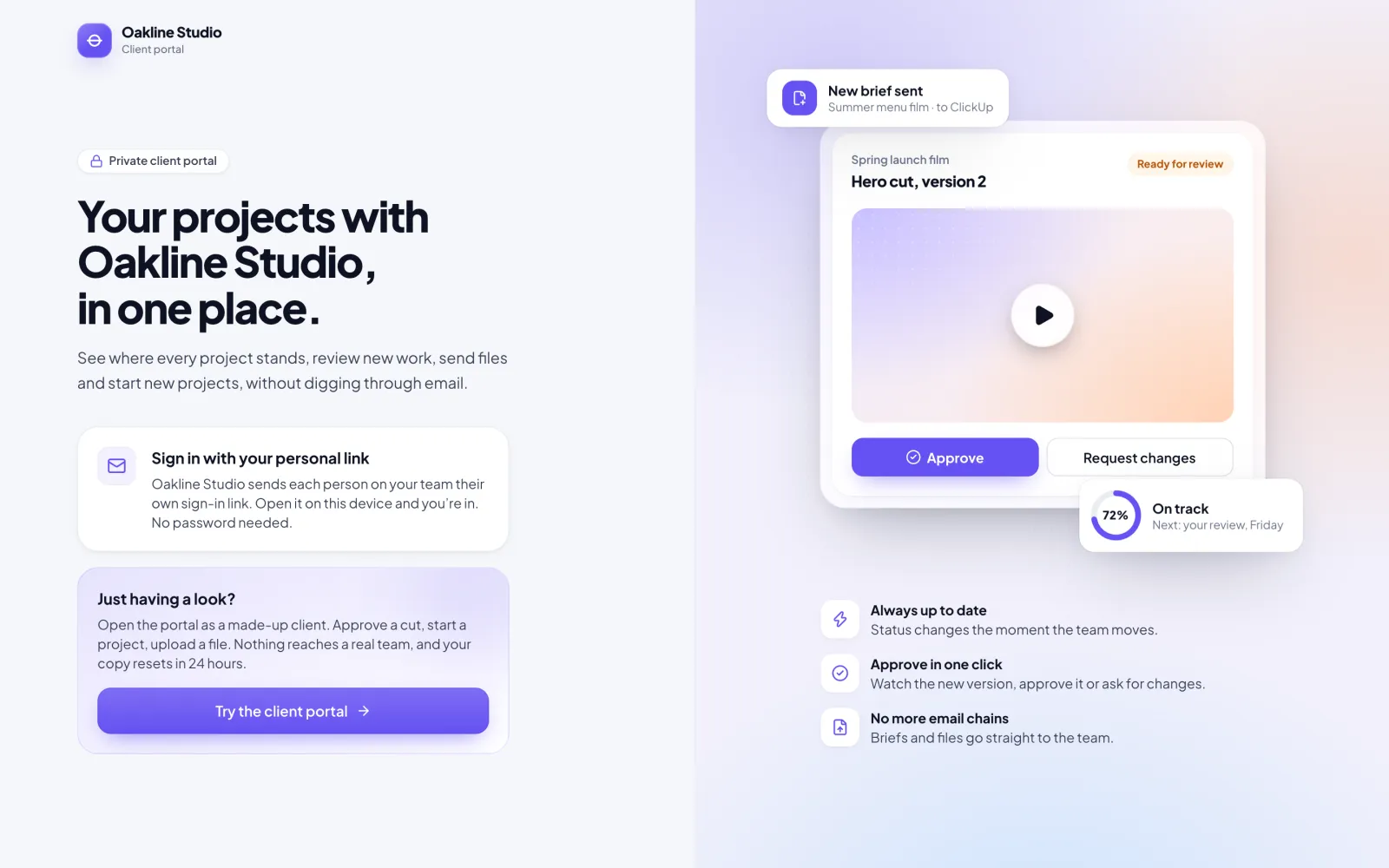
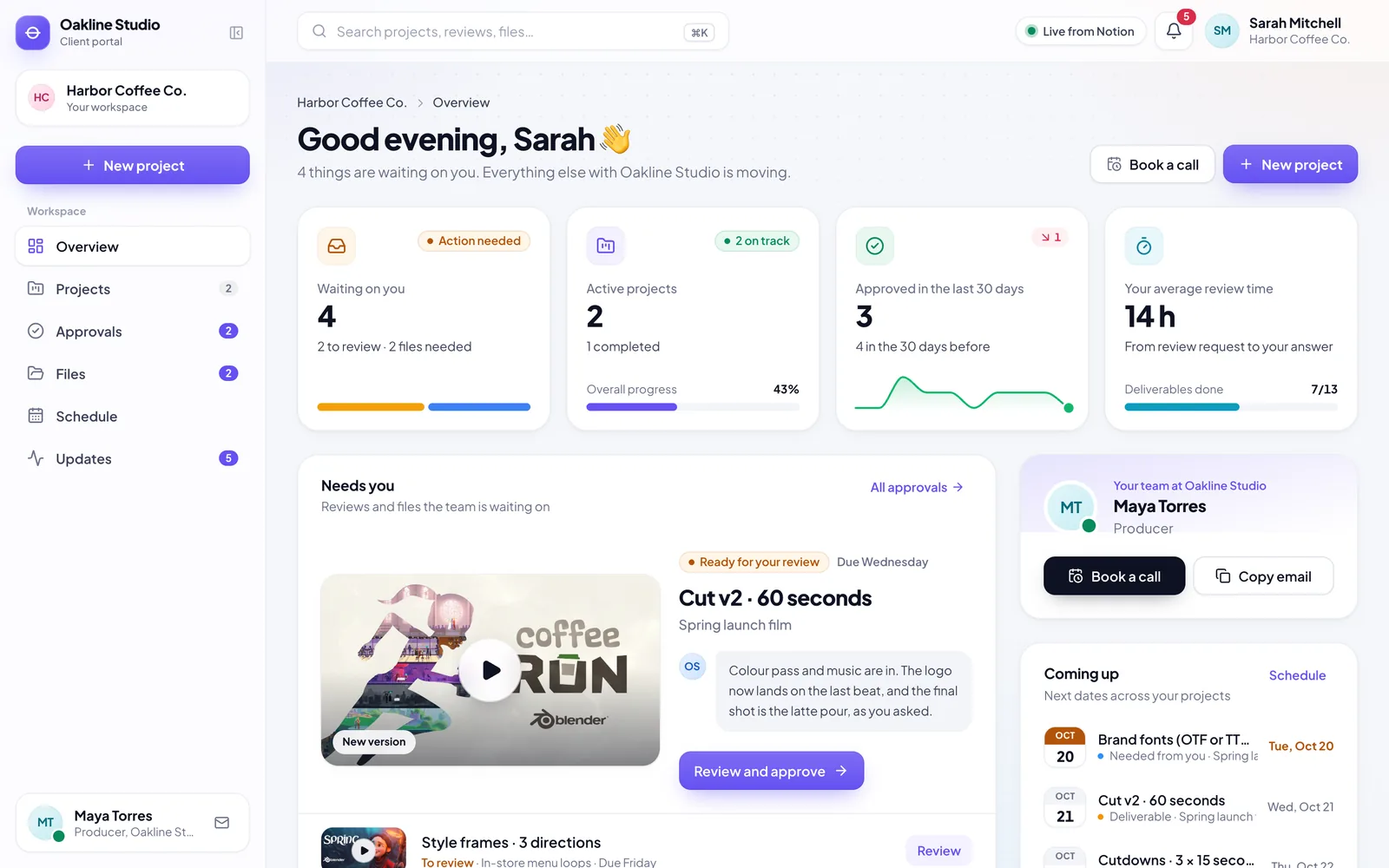
See every project, live.
Stages, dates, new versions to review and the files you need from them, updated as your team works in Notion.
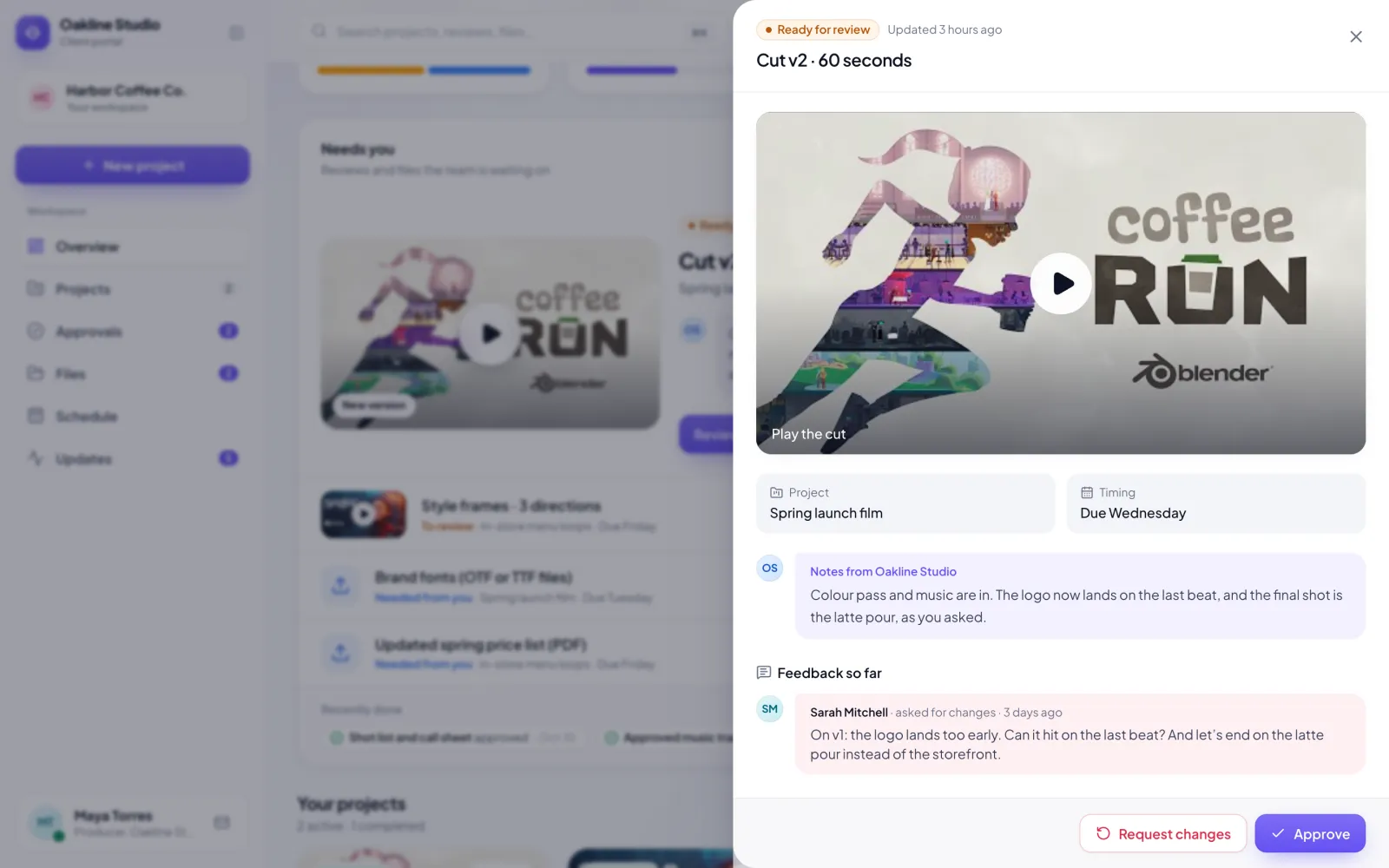
Review and approve in one place.
They watch the new cut, read your notes, and approve it or say what to change. It goes straight back to Notion, with a comment.
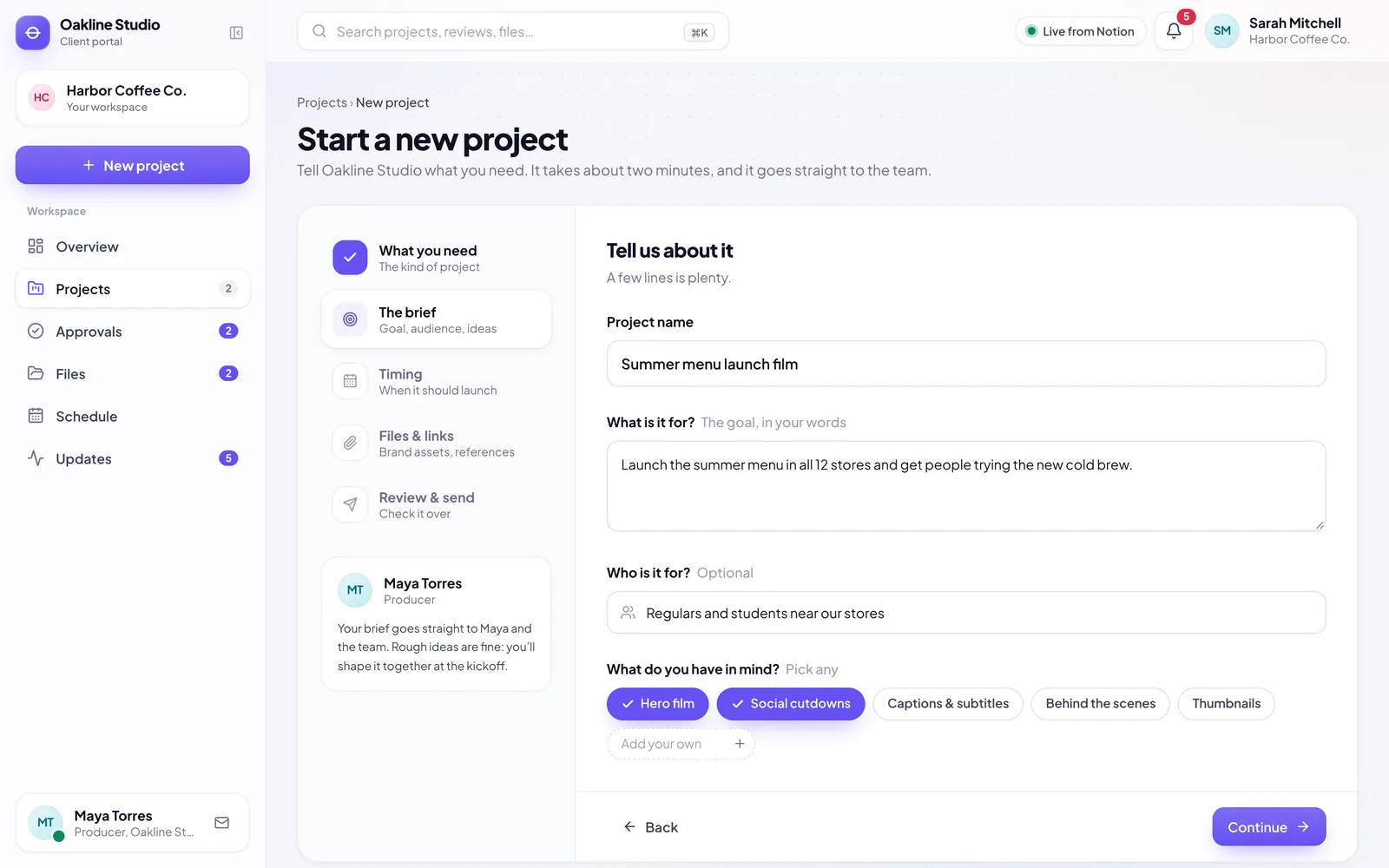
Start the next project.
A short brief: what they need, what it’s for, when, and any files. It arrives in Notion as a new project, ready for the kickoff.
Your team keeps working in Notion.
The portal is a window for clients. The work stays in your workspace, set up the way you already run it. We map the portal to the databases and properties you have; you don’t rebuild anything.
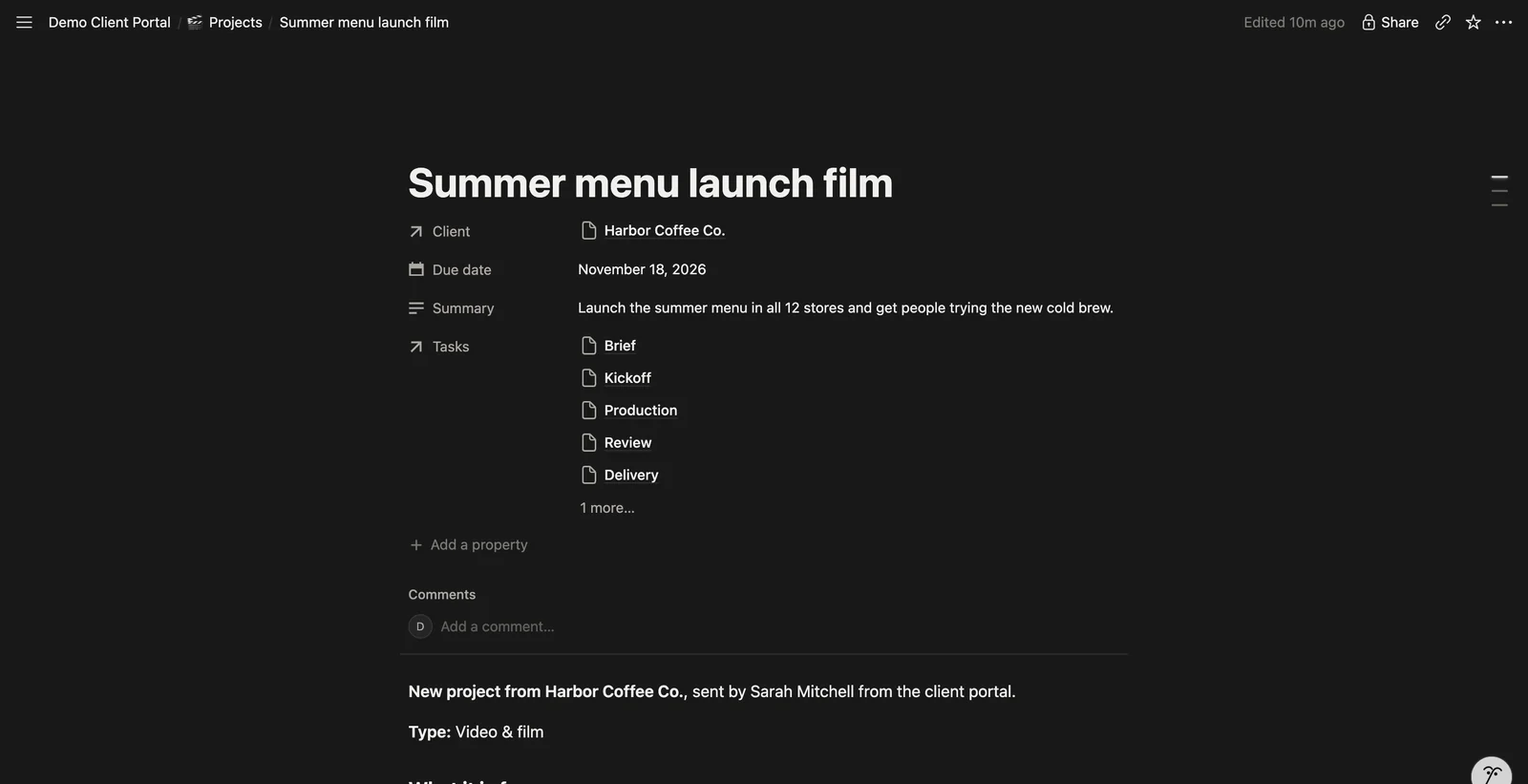
 In the portal
 Notion
A client sends a new brief
A new page in your Projects database, with the brief as its content and the files attached
They approve a version or ask for changes
The page’s Status property changes, with their note as a comment
They upload a requested file
The file is added to the page, and the request is ticked off
They open their portal
They see the pages you marked for them: projects, stages, dates and versions
Your databases and properties stay yours. We match the portal to them during setup.
Connect any tool you choose.
Notion stays at the centre. Next to it, the portal can work with the rest of your tools: chat, CRM, files, calendars and accounting. If a tool has an API, we can connect it.
 Slack
Slack HubSpot
 Google Drive
 QuickBooks
 Xero
Xero ClickUp
 Airtable
 monday.com
 Gmail
Gmail Google Calendar
 Zapier
 Dropbox
 Calendly
 Figma
Figma- Any tool with an API
Payments, if you want them.
Send invoices through the portal and clients pay by card right there, through Stripe. Your team sees the payment the moment it lands.
- Each invoice sits next to the project it belongs to
- Card payments through Stripe, with receipts sent for you
- Paid invoices can sync to QuickBooks or Xero
Built and set up for you.
Your clients get a portal that looks like you. Your team gets fewer status emails, and the answers clients need are already there.
Custom designed for you
A design made for your agency, never a template, on a domain like portal.youragency.com.
Sign-in links, no passwords
Each contact gets their own link, and you can see who has signed in.
Live sync with Notion
Changes in Notion show up in the portal, and client actions go back to the right page.
Approvals and change requests
With notes, and a record of every decision a client made.
File requests and uploads
Ask for logos, fonts or price lists. Files go straight to the project that needs them.
New-project briefs
A guided brief that becomes a new project for your team.
Timeline, calendar and updates
Every stage and due date, and a feed of everything that moved.
A weekly email to each client
What moved this week and what needs them, every Monday.
An admin view for your team
Invite contacts, check the sync and open any client’s portal exactly as they see it.
It works on phones too, so clients can approve from wherever they are.
Four steps to your first client.
We do the setup. Your team brings the knowledge of how your client work runs.
A call
We look at how your client work runs today and where it lives.
Connect
We connect your Notion workspace, plus any other tools you want in it.
Your brand
Your logo, colours and domain, with the stages and statuses you already use.
Invite your clients
Each contact gets a personal link, and your team gets a walkthrough.
Before you book.
Do my clients need a Notion account?
No. Each contact gets a personal sign-in link from you. They never see Notion, and they don’t take a seat in it.
Do we have to change how we work in Notion?
No. We map the portal to the databases and properties you already use. You choose which pages a client sees, and everything else stays internal.
Can clients see our internal work?
No. Only what you mark for a client reaches the portal, and each client only sees their own projects.
Can it match our brand?
Yes: your logo, your colours and your own domain.
Can it connect to our other tools?
Yes. Alongside your project tool it can connect to the tools you already use, like Slack, HubSpot, Google Drive or QuickBooks. If a tool has an API, we can connect it.
Can clients pay invoices in the portal?
Yes, if you want it. Clients pay by card through Stripe, and your team sees the payment straight away.
Can we try it first?
Yes. Open the live demo as a made-up client: approve a cut, upload a file, start a project. Your demo copy is private and never changes anything in Notion.
Is the demo really connected to Notion?
Yes. The demo agency’s projects live in Notion, and the portal reads them live. On a call, we’ll send a brief from the portal and you’ll see it land in Notion.
See it with your own projects.
We’ll walk through the live portal, look at how your client work runs in Notion today, and show you how it would connect.
- A walkthrough of the live portal
- How it maps to your Notion setup
- What it takes to launch it for your clients