 BrainBuild
Keep every client in the loop.
A portal with your brand where clients see every project, approve new versions, send files and brief you on the next one. It all lands in your ClickUp, or on the portal’s own project board if you don’t use one.
- One link
- to sign in. No passwords for your clients.
- Seconds
- for a change in ClickUp to show in the portal.
- Both ways
- Approvals, notes and files go back to the task.
- Custom
- designed for your agency, on your own domain.
Every “any update?” email is a client who can’t see their own project. Give them a window into it.
From sign-in to a new project.
This is what your clients see. Everything in it comes from the tool your team already works in.
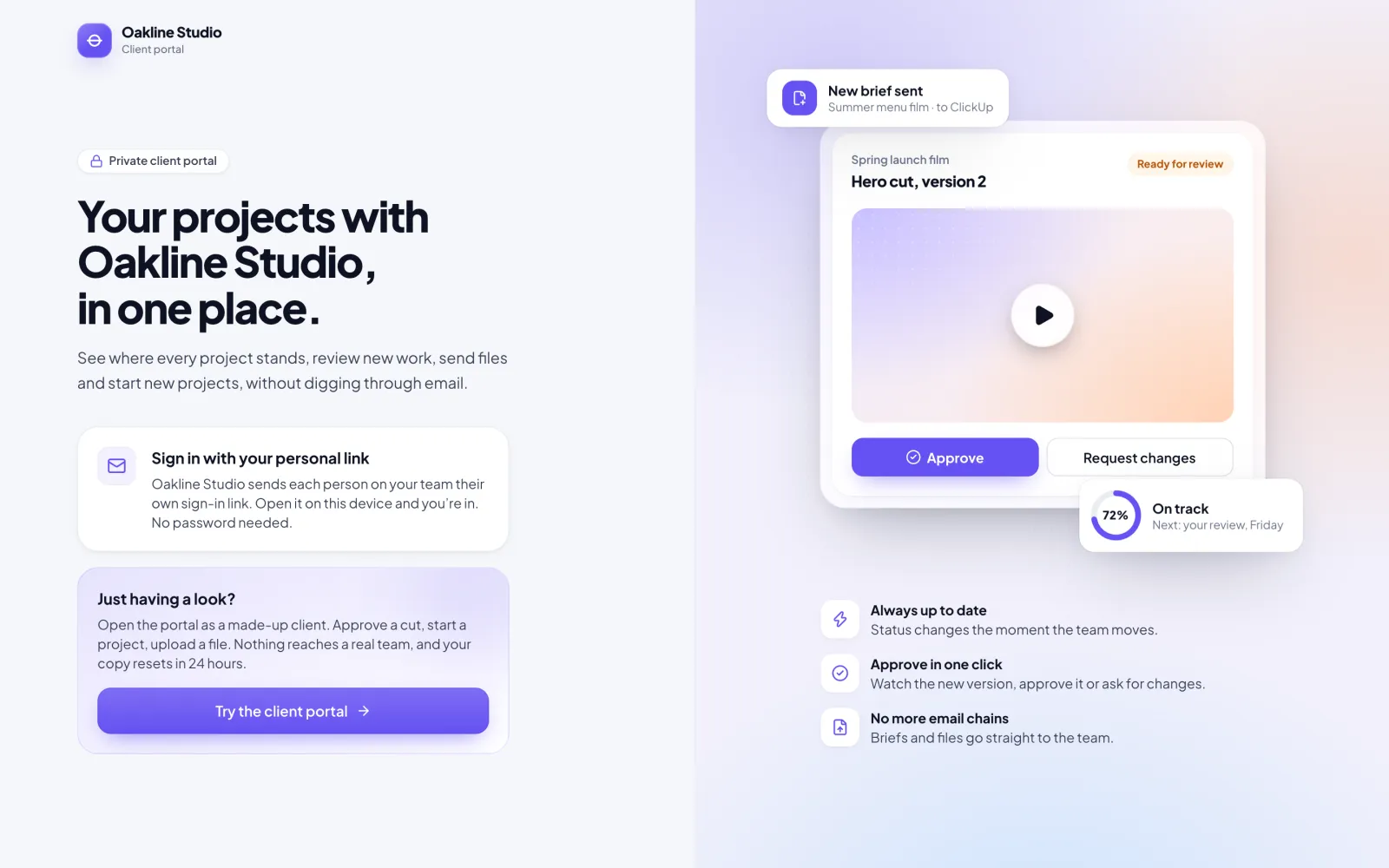
Sign in with one link.
You send each client contact a personal link. They open it and they’re in. No password, no new account to set up.
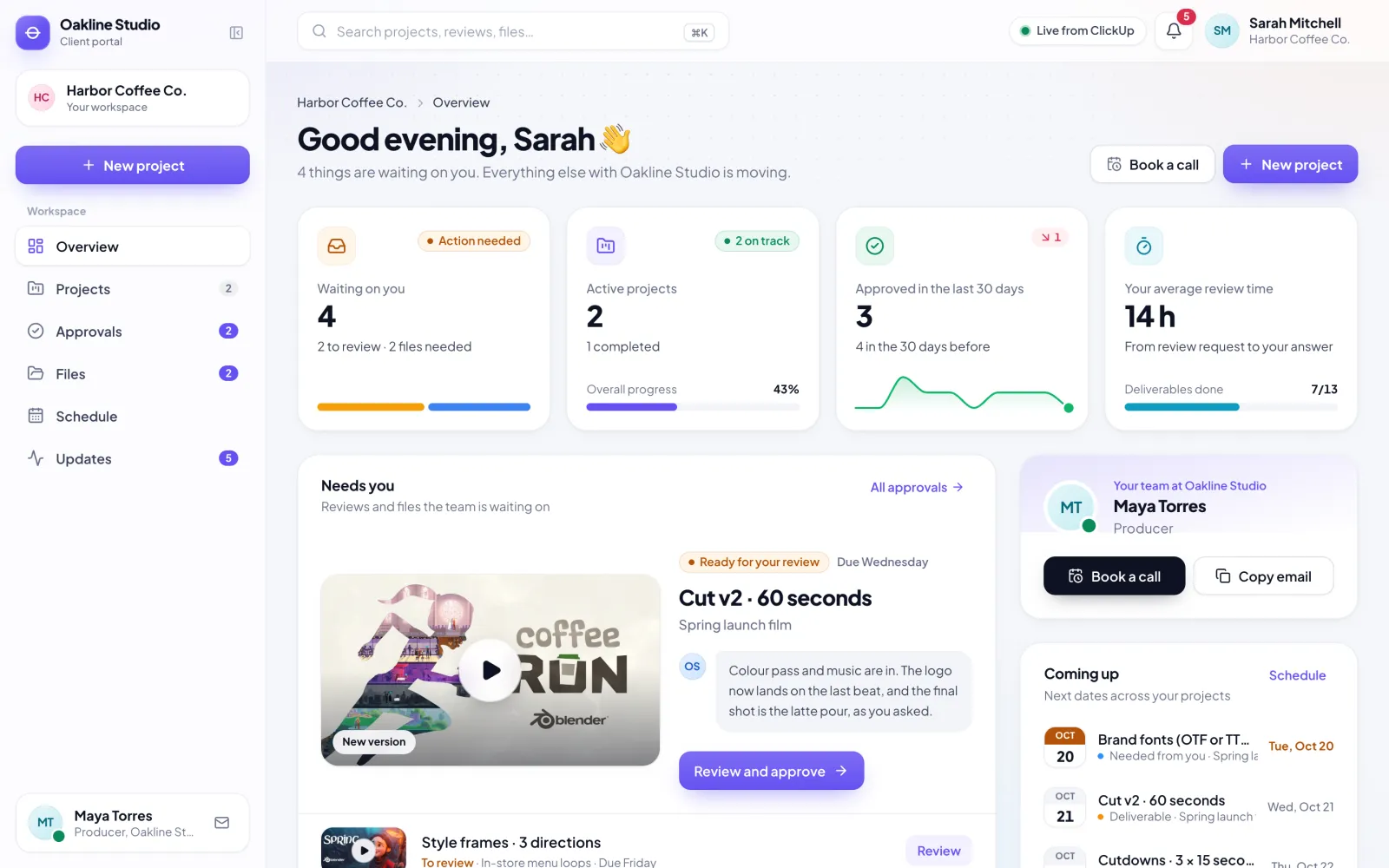
See every project, live.
Stages, dates, new versions to review and the files you need from them, updated the moment your team moves something.
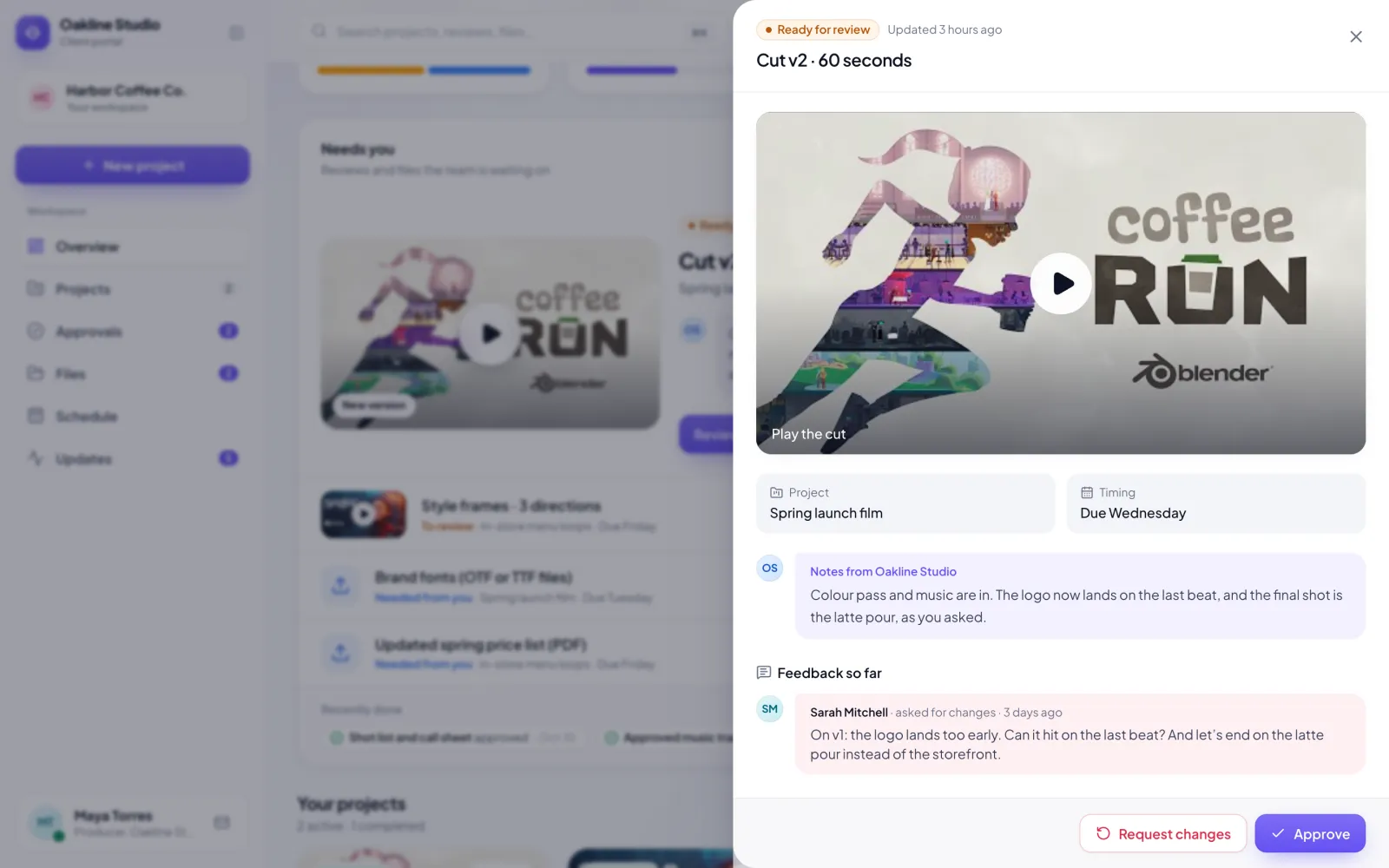
Review and approve in one place.
They watch the new cut, read your notes, and approve it or say what to change. It goes straight back to the task, with a comment.
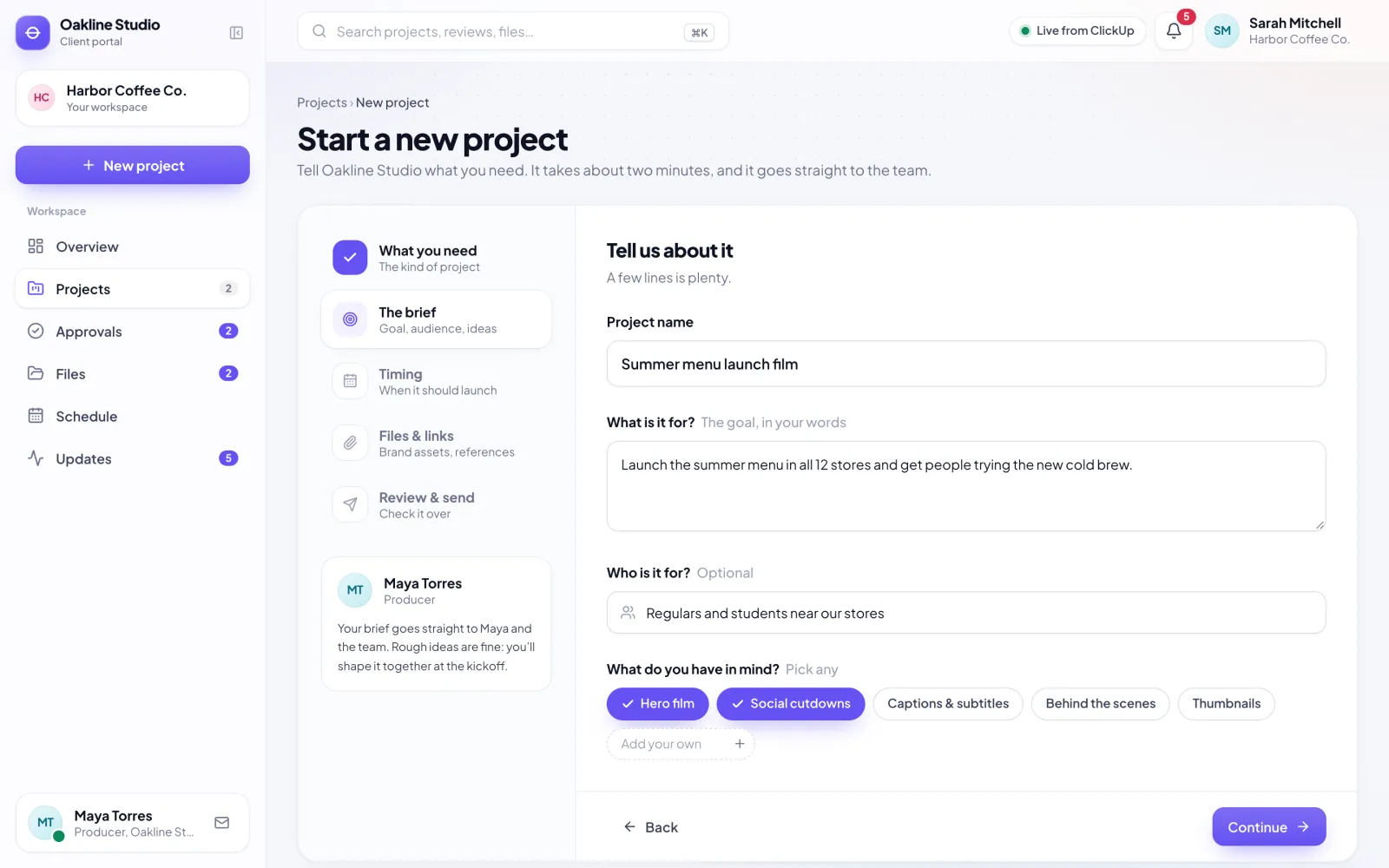
Start the next project.
A short brief: what they need, what it’s for, when, and any files. It arrives with your team as a new project, ready for the kickoff.
Your team keeps working where it works.
The portal is a window for clients. The work stays in your tool, and if you don’t have one, the portal brings its own.
Using ClickUp
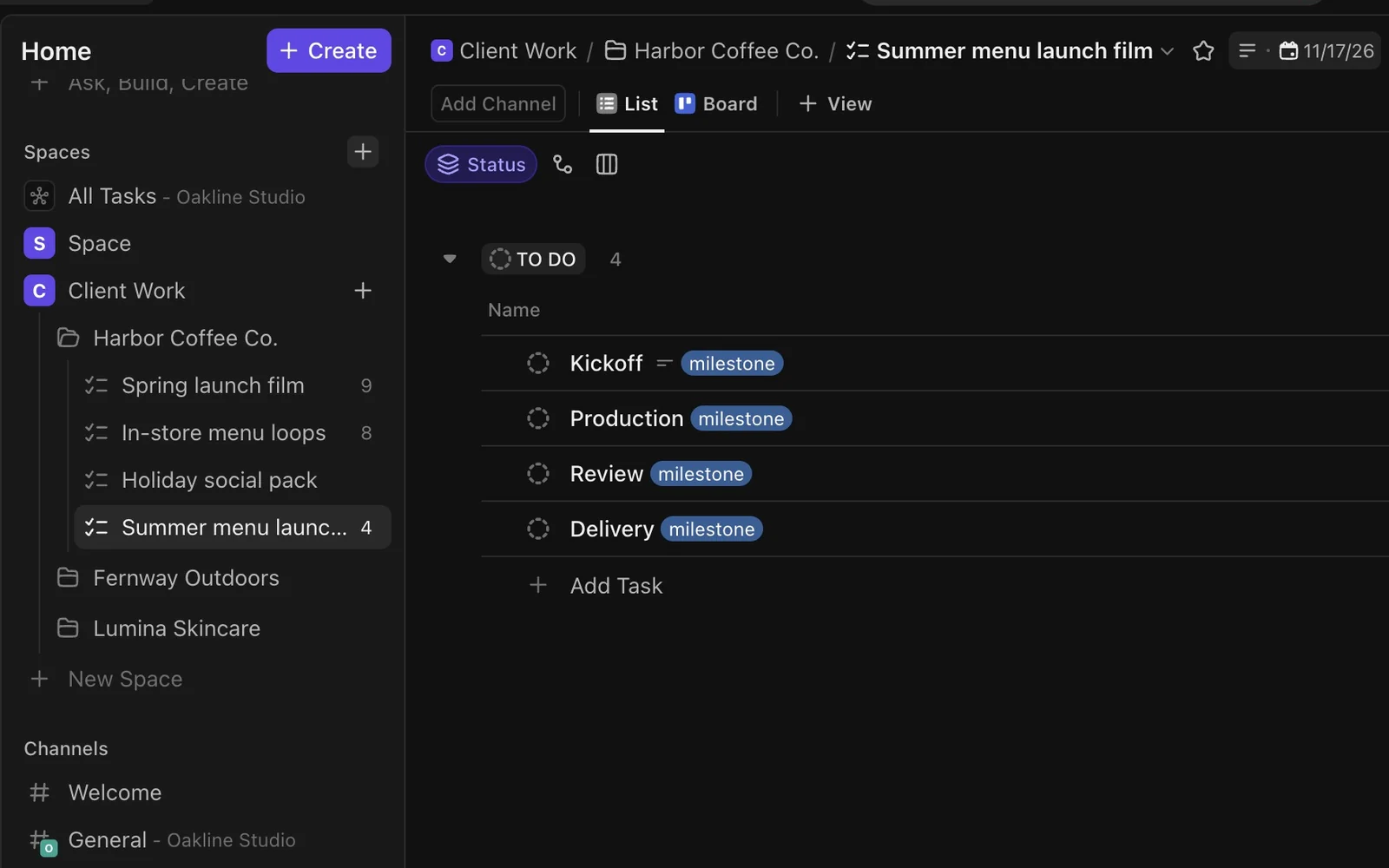
- Each client is a folder and each project a list, the way you already work
- A new brief arrives as a new list: the brief, the stages and the files
- Tag a task deliverable, request or milestone and the client sees it. Everything else stays internal
- Approvals and change requests update the task status and add a comment
No project tool? No problem.
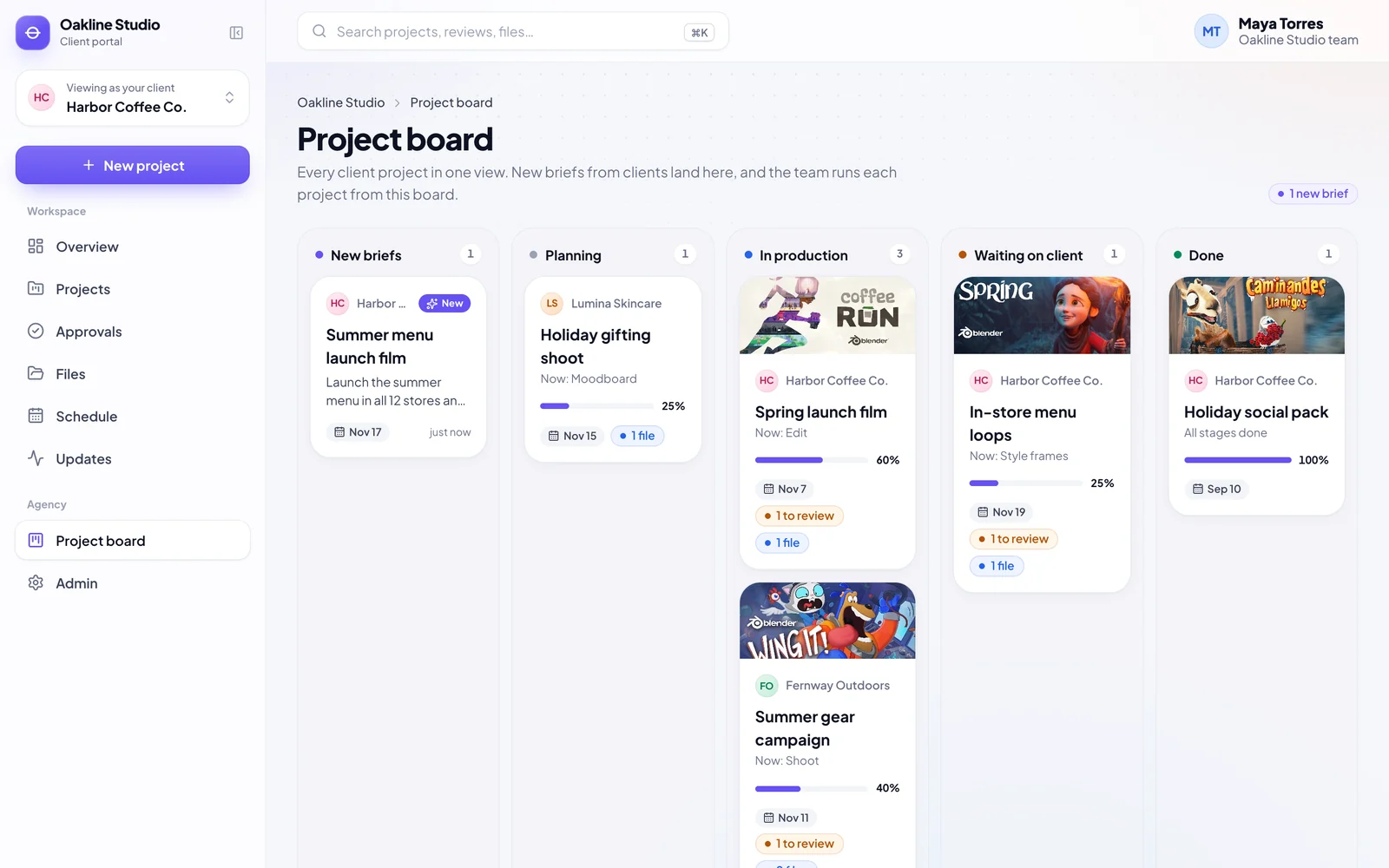
- New briefs land on the portal’s own project board
- Accept the brief, then add stages, deliverables and file requests
- Every change shows up in the client’s portal straight away
- Your client work runs from one place, inside the portal
Built and set up for you.
Your clients get a portal that looks like you. Your team gets fewer status emails, and the answers clients need are already there.
Custom designed for you
A design made for your agency, never a template, on a domain like portal.youragency.com.
Sign-in links, no passwords
Each contact gets their own link, and you can see who has signed in.
Live sync with ClickUp
Changes reach the portal within seconds, and client actions go back to the task.
Approvals and change requests
With notes, and a record of every decision a client made.
File requests and uploads
Ask for logos, fonts or price lists. Files go straight to the task that needs them.
New-project briefs
A guided brief that becomes a new project for your team.
Timeline, calendar and updates
Every stage and due date, and a feed of everything that moved.
A weekly email to each client
What moved this week and what needs them, every Monday.
An admin view for your team
Invite contacts, check the sync and open any client’s portal exactly as they see it.
It works on phones too, so clients can approve from wherever they are.
Four steps to your first client.
We do the setup. Your team brings the knowledge of how your client work runs.
A call
We look at how your client work runs today and where it lives.
Connect
We connect your ClickUp space, or set up the portal’s own project board.
Your brand
Your logo, colours and domain, with the stages and statuses you already use.
Invite your clients
Each contact gets a personal link, and your team gets a walkthrough.
Before you book.
Do my clients need an account or a password?
No. Each contact gets a personal sign-in link from you. They open it on their device and stay signed in.
Do we have to change how we work in ClickUp?
No. Folders become clients and lists become projects. You tag the tasks clients should see as deliverable, request or milestone, and everything else stays internal.
What if we don’t use a project management tool?
The portal comes with its own project board. New briefs land there, and your team adds stages, deliverables and file requests from it.
Can clients see our internal work?
No. Only tagged tasks reach the portal, and each client only sees their own projects.
Can it match our brand?
Yes: your logo, your colours and your own domain.
We use something other than ClickUp.
Tell us on the call. ClickUp works today, and the portal is built so other tools can be connected. We’ll tell you what it takes for yours.
Can we try it first?
Yes. Open the live demo as a made-up client: approve a cut, upload a file, start a project. Nothing reaches a real team.
See it with your own projects.
We’ll walk through the live portal, look at how your client work runs today, and show you how it would connect to your setup.
- A walkthrough of the live portal
- How it connects to your tool, or works without one
- What it takes to launch it for your clients